Go to Blogger edit html and find these sentences.Now replace these sentences with your own descriptions.This theme is Bloggerized by NewBloggerThemes.com.
Go to Blogger edit html and find these sentences.Now replace these sentences with your own descriptions.This theme is Bloggerized by NewBloggerThemes.com.
Go to Blogger edit html and find these sentences.Now replace these sentences with your own descriptions.This theme is Bloggerized by NewBloggerThemes.com.
Go to Blogger edit html and find these sentences.Now replace these sentences with your own descriptions.This theme is Bloggerized by NewBloggerThemes.com.
Go to Blogger edit html and find these sentences.Now replace these sentences with your own descriptions.This theme is Bloggerized by NewBloggerThemes.com.
Showing posts with label Download and Installations. Show all posts
Showing posts with label Download and Installations. Show all posts
After Clicking on the Given LINK THIS page will be Open.
STEP 2 :- CLICK ON INSTALL as Shown in Screen Shot.
STEP 3 :- CLICK ON "APK4Fun" as Shown in Screen Shot.
STEP 4 :- CLICK ON DOWNLOAD. (Now It Will Start Downloading in few seconds)
STEP 5 :- NOW Click on the DOWNLOADED FILE.
STEP 6 :- INSTALL IT :)
ENJOY YOUR Pokemon Go Game
HAVE A GREAT DAY !!!
Thanks for Reading Please Follow and Share and Comment if You Like
it !!!If this POST contains Any Wrong Information Feel free to comment
it i
will FIX the Problem !!! or You can contact me at given links below :-)
Notepad++ has been around for a long time, and many users have only ever
used Notepad++ when they’re ready to upgrade from Notepad or Wordpad.
It’s stil under development though, and combines the simple interface of
Notepad or Wordpad with advanced features that will make writers and
developers happy. Some of them include a customizable interface that you
can make as minimal or toolbar-rich as you choose, a document map so
you can see where you are in your work at any time, a tabbed interface
so you can work in multiple documents, auto-completion and text
shortening, macro recording so you can customize shortcuts, and more.
You also get customizable syntax highlighting, text folding and
collapsable parts of the document (to make things easier to read,) and
options you can use to launch the app under certain parameters, just to
make your work easier.
Notepad++ is free (free as in free speech and free beer) and
available for Windows only. You can grab it as an installable app, or a
portable app to run from a flash drive or cloud storage service like
Dropbox. If you’re not sure exactly what you’re looking for in a text
editor, it’s a good place to start, especially because it’s free. You
can donate to the project though, and if you enjoy it, you should. The
code is available too, so if you’d rather contribute, you can do that as
well. Those of you who nominated it praised its simplicity, wealth of
plug-ins for just about every type of user, and of course, its price
tag.
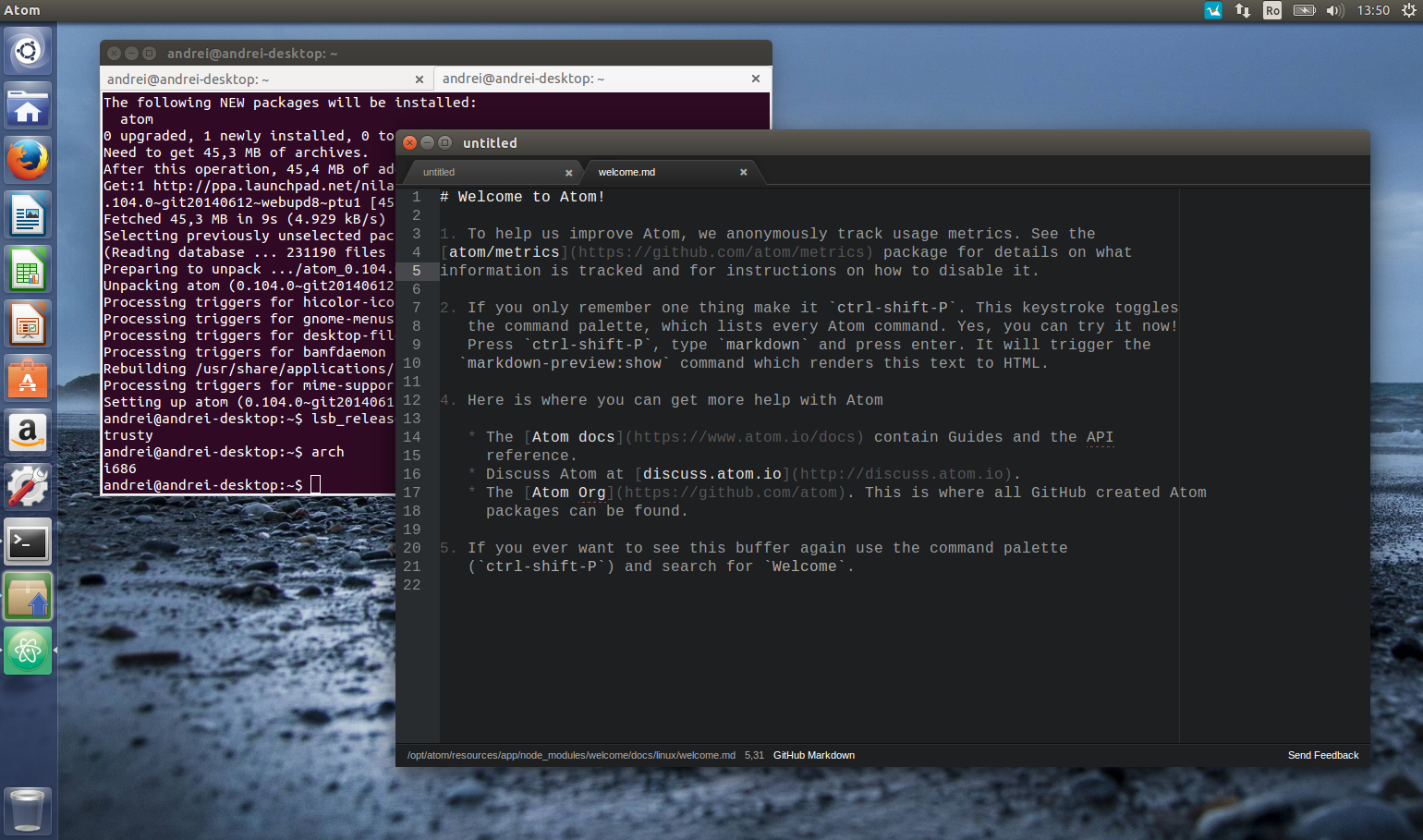
Calling itself a text editor “for the
21st century,” Atom earned a lot of praise in the nominations round for
being a text editor designed for the needs of today’s developers. It’s
built by the team at GitHub, and incorporates some of the lessons the
team there learned by managing so much code on a regular basis. It’s
flexible, customizable, themeable, and even though it’s relatively new,
it already has a large following and tons of plugins, thanks to its open
API. It operates like a native application, and even the application
package is ctustomizable so you only get the modules you need. It packs a
tabbed interface, multi-paned layout, easy file browser, and easy
learning curve so you can get up and running with it quickly. There’s
also solid documentation to help you get started if you need it. Only
downside though: Atom is currently in private beta, and you’ll have to
sign up for an invite and cross your fingers if you want to give it a
try.
Atom is currently OS X only (10.8+), although Windows and Linux
versions are on the roadmap. It’s also free to use while it’s in beta,
but when it’s finished and released, the team behind it says it’ll be
“competitively priced.” Those of you who nominated it praised its
customizability and available plugins, and pointed to the tool’s
potential to become one of the best and most powerful text editors we’ve
seen in many many years.
Cross-platform and feature packed, Sublime Text was a crowd favorite in
the call for contenders thread, partially because of its amazing
feature-set. Plug-ins and add-ons are available for specific programming
languages and uses in Sublime Text, the app features extremely powerful
search and go-to features, tons of keyboard commands to help you never
have to take your hands off the keyboard while you use it, a
distraction-free mode that lets you focus right on your work—whatever
that work may happen to be, and much much more. Sublime Text has a
tabbed interface so you can have multiple documents open at the same
time, and a 10,000ft view on the right so you can see where in your
document you are at any time. You can select multiple rows to make
simultaneous changes, customize shortcuts to suit your own needs, and
even chain shortcuts together to perform complex—but fast—operations.
It’s remarkably powerful.
Sublime Text is available for Windows, OS X, and Linux. It’s
distributed as evaluation software (meaning it’s free to try, but
there’s no time limit on how long you can use it for free) and a full
license will cost you $70. A full license is per user, so you can use it
on as many computers as you like once you have one. In the call for
contenders thread, those of you who nominated Sublime praised its
impressive feature-set, developer-friendly plug-ins and API,
side-by-side file comparisons, and much more.
HAVE A GREAT DAY !!!
Thanks for Reading Please Follow and Share and Comment if You Like
it !!!If this POST contains Any Wrong Information Feel free to comment
it i
will FIX the Problem !!! or You can contact me at given links below :-)
tags :- How to Download Code Editors Softwares | NotePad++ | Sublime | Atom ,How to Download Notepad++ ,How to Download Sublime ,How to Download Atom.io ,Download Code editors ,Code editors for Windows